Hostel Management System in C# with Source Code and SQL Server Database
Download the Hostel Management System project in C# with source code, SQL Server database files and documentation. This project is a complete desktop application for managing hostel students, registrations, fee payments, student profiles, payment history and hostel records through an admin and student login system.
Built using C# Windows Forms and Microsoft SQL Server, this project is useful for computer science students, IT students, beginner C# developers and anyone learning database-driven desktop application development in Visual Studio.
Download Hostel Management System in C#
The download package includes C# source code, Visual Studio project files, SQL Server database files or scripts, and documentation support. Download the project first, then use the Codezips workflow below to run, understand, document and prepare it for viva or final submission.
Download Hostel Management System Source CodeComplete This Hostel Project with Free Codezips Tools
A project download page should help students complete the full workflow, not just download files. Use these Codezips tools to set up the project, understand the database, prepare viva answers, improve documentation and turn the project into resume content.
Project ZIP Analyzer and Setup Guide Generator
Paste the extracted folder structure and generate a setup guide for the C# Visual Studio project.
Project Setup Guide Generator
Create a clean installation guide for Visual Studio, SQL Server database setup and project documentation.
SQL File Doctor and Import Fixer
Use this if your SQL script or database import shows errors. For SQL Server, review syntax and connection details carefully.
ER Diagram and Database Explainer from SQL
Paste your database script and generate table explanations, relationships and database viva notes.
Source Code to Viva Simulator
Paste C# files such as login form, registration form, payment form or database connection code and generate viva questions.
Project Report Completeness Checker
Check whether your project report includes abstract, objectives, database design, testing, screenshots and future scope.
AI Project Upgrade Lab
Generate AI upgrade ideas such as due-fee prediction, smart room allocation and automated fee reminders.
README, Resume and Portfolio Generator
Turn this Hostel Management System into GitHub README, resume bullet points and portfolio project content.
Project Overview
The Hostel Management System in C# is a desktop-based software application designed to simplify hostel operations for administrators and students. It helps manage student registration, student profiles, fee details, payment records, due fee tracking, login access and student record maintenance.
This project is developed using C# and Microsoft SQL Server, making it a useful academic project for students who want to learn Windows Forms application development, database connectivity, CRUD operations, login systems, payment records and real-world hostel administration workflows.
Why Choose This Hostel Management System Project?
Manual hostel management can become difficult when administrators need to track student details, fee payments, due amounts, contact information and joining dates. A digital hostel management system reduces paperwork and makes student records easier to search, update and maintain.
Problems in manual hostel management
- Student records can be misplaced or duplicated.
- Fee payment history can be difficult to track manually.
- Due fee calculation can become inaccurate.
- Searching student records takes more time.
- Students may not have easy access to payment status.
- Administrators may struggle to maintain updated data.
How this project helps
- Stores student profiles digitally.
- Provides admin and student login access.
- Tracks total fee, paid fee and due fee.
- Allows searching records using Student ID.
- Maintains payment history for students and admins.
- Helps update, edit and delete student records easily.
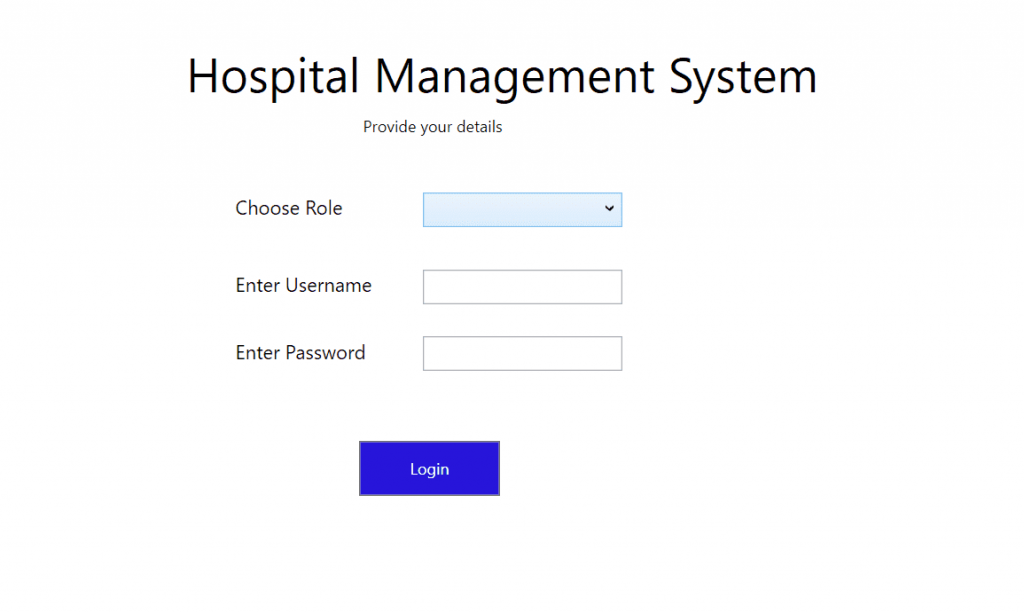
Hostel Management System Screenshots
Upload your real screenshots to the WordPress Media Library and replace the placeholders below. Recommended screenshots: login page, student registration form, payment management form, student records page and payment history page.
Key Features of Hostel Management System in C#
Student Registration
The administrator can register new hostel students by entering Student ID, first name, last name, mobile number, email address, joining date, address and fee details.
Secure Login System
The project includes admin login and student login. Admin users can manage records, while students can view profile and payment information.
Payment Management
The payment module helps update total fee, paid fee and due fee. It makes hostel fee tracking easier than manual register-based records.
Student Record Management
Admin can view, edit, delete and update student records whenever required. This keeps hostel data accurate and organized.
Search Functionality
Admin can search student records using Student ID and quickly view student name, contact information, fee details and profile data.
Payment History
Both admin and students can view payment history, making it easier to track paid amounts, pending dues and previous transactions.
Technical Details
| Part | Technology Used | Purpose |
|---|---|---|
| Programming language | C# | Used to build application logic, forms, button actions and database operations. |
| Application type | Windows Forms Application | Provides desktop screens for login, registration, payments and records. |
| Database | Microsoft SQL Server | Stores student details, login records, payment history and fee information. |
| IDE | Microsoft Visual Studio | Used to open the .sln file, build the project and run the application. |
| Database tool | SQL Server Management Studio | Used to create database, run SQL script and check tables. |
| Project files | .sln, .cs, .Designer.cs, .resx, .sql | Contains source code, forms, resources and database setup script. |
Modules of the Hostel Management System
Authentication Module
Handles admin login and student login. It checks username and password before allowing access to protected screens.
Student Registration Module
Allows admin to add new students with complete personal, contact, joining and fee details.
Student Profile Module
Allows student information to be viewed and maintained from the database.
Fee Management Module
Tracks total fee, paid fee and due fee for each registered student.
Payment History Module
Stores and displays payment history so students and admins can check previous fee transactions.
Search and Record Module
Allows admin to search student records by Student ID and update or delete information when required.
Project Setup Guide for Visual Studio and SQL Server
Follow these steps to run the Hostel Management System project on your computer. If your folder structure is confusing, use the Project ZIP Analyzer before starting.
- Download the project ZIP file from the download link.
- Extract the ZIP file using WinRAR, 7-Zip or Windows extractor.
- Install Microsoft Visual Studio if you do not already have it.
- Install Microsoft SQL Server or SQL Server Express.
- Install SQL Server Management Studio for database management.
- Open the extracted project folder and locate the .sln file.
- Open the .sln file using Visual Studio.
- Open SQL Server Management Studio and connect to your local SQL Server instance.
- Create a new database for the project, or run the provided SQL script if it creates the database automatically.
- Import or execute the included SQL file to create required tables.
- Open the C# database connection file or connection string inside the project.
- Update the server name, database name and authentication values.
- Build the project in Visual Studio.
- Press F5 or click Start to run the application.
Example SQL Server connection string
Example C# connection code
SQL Server Database Import Guide
The SQL Server database stores all important hostel records, including students, login users, fee records and payment history. If the database is not configured correctly, login, registration and payment features may not work.
- Open SQL Server Management Studio.
- Connect to your local SQL Server instance.
- Create a new database such as HostelDB.
- Open the provided .sql database script from the project folder.
- Check whether the script contains a CREATE DATABASE statement.
- If required, change the database name to match your local database.
- Execute the script to create tables and sample records.
- Refresh the database and confirm that tables are created.
- Update the C# connection string with the same database name.
- Run the project and test login, registration, payment and search modules.
After your database is ready, paste the SQL script into the ER Diagram and Database Explainer from SQL to generate table explanations and database viva notes.
Database Explanation for Project Report
The Hostel Management System database is designed to store student profile information, login credentials, fee details and payment history. Your actual table names may differ depending on the downloaded SQL script, but the database usually includes these logical entities.
| Table or Entity | Purpose | How to explain in viva |
|---|---|---|
| Admin | Stores admin login credentials. | This table controls administrator access to the system. |
| Students | Stores student ID, name, contact, email, joining date, address and profile data. | This is the main table for hostel student records. |
| StudentLogin | Stores student login details if separate login is provided. | This allows students to access their own profile and payment history. |
| Fees | Stores total fee, paid fee and due fee. | This table helps calculate pending hostel payment for each student. |
| Payments | Stores payment transactions and payment dates. | This table creates payment history for students and administrators. |
| Rooms | Optional table for room allocation if added later. | This can connect students with hostel rooms or beds. |
Important database relationships
In your project report, explain that the student table is the central table. Fee and payment records are connected to the student using Student ID. This makes it easy to search a student and display their full profile, fee status and payment history.
C# Source Code Explanation for Students
This project is useful for learning C# Windows Forms and SQL Server connectivity. Students should understand how forms, buttons, text boxes, SQL queries and database connection code work together.
1. Database connection in C#
The project connects to SQL Server using SqlConnection. The connection string contains server name, database name and authentication method.
2. Student registration insert query
When admin fills the registration form and clicks submit, the project can use an INSERT query to save student data into SQL Server.
3. Student search logic
The search feature can use Student ID to fetch student details from the database and display them in text boxes or a DataGridView.
4. Fee calculation logic
The system can calculate due fee by subtracting paid fee from total fee. This is simple but important business logic.
Paste your actual C# form code into the Source Code to Viva Simulator to generate file-specific viva questions and explanations.
Common Errors and Fixes
| Error | Likely Cause | Fix |
|---|---|---|
| Cannot open .sln file | Visual Studio is not installed or project version is unsupported. | Install Visual Studio with .NET desktop development workload. |
| SQL Server not found | Wrong SQL Server instance name in connection string. | Check your server name in SQL Server Management Studio and update the connection string. |
| Login failed for user | Wrong SQL authentication username or password. | Use Windows Authentication or update SQL username and password correctly. |
| Cannot open database requested by login | Database name in connection string does not exist. | Create the database or update Initial Catalog in the connection string. |
| Invalid object name | Required table was not created or table name is wrong. | Run the SQL script again and check table names in SQL Server. |
| Build failed | Missing references, wrong .NET Framework version or project file issue. | Restore references, install required .NET Framework and rebuild the solution. |
| Data not showing in DataGridView | Query returns no records or binding code is missing. | Check SELECT query, database connection and DataGridView data source assignment. |
Project Report and Documentation Help
For academic submission, prepare a complete report instead of submitting only source code. A strong Hostel Management System report should explain the problem, objectives, system design, database, implementation, testing and future scope.
Recommended report sections
- Abstract
- Introduction
- Problem statement
- Objectives
- Scope and limitations
- Hardware and software requirements
- System design
- Database design and ER diagram
- Module description
- Implementation details
- Testing and test cases
- Screenshots
- Security considerations
- Future scope
- Conclusion
Use the Project Report Completeness Checker to check whether your report is missing important sections before submission.
Viva Questions and Answers
AI Upgrade Ideas for Hostel Management System
To make this C# hostel project more modern and unique, you can add AI or smart features. These ideas can help you stand out in final year submissions, viva and portfolio presentations.
AI Due Fee Risk Predictor
Analyze payment history and identify students who may delay future fee payments.
Smart Room Allocation
Suggest suitable rooms based on availability, student preferences, year, course or fee category.
Automated Fee Reminder System
Generate smart reminders for students with due payments and upcoming payment deadlines.
Student Behavior Dashboard
Show analytics about payment trends, joining dates, occupancy and student activity.
AI Help Assistant
Add a simple assistant that answers questions about fee due, student details, room rules and payment status.
Hostel Occupancy Forecast
Predict future room occupancy based on joining patterns, checkout records and admissions.
Use the AI Project Upgrade Lab to generate a personalized AI upgrade roadmap for this Hostel Management System.
Suggested Enhancements
- Room allocation and room availability module.
- Hostel attendance tracking.
- Automated email or SMS fee reminders.
- Receipt generation for payments.
- PDF export for student profiles and payment history.
- Role-based access for admin, accountant and student.
- Dashboard charts for total students, paid fees, due fees and room occupancy.
- Backup and restore database feature.
- AI due-fee prediction and smart room allocation.
Turn This Hostel Management System into README, Resume and Portfolio Content
After running this project successfully, you can use it as a GitHub, resume and portfolio project. This is useful for students applying for internships, software developer roles or academic presentations.
GitHub README Ideas
- Project overview and purpose.
- Features such as student registration, login, payment management and search.
- Technology stack: C#, Windows Forms and SQL Server.
- Visual Studio setup steps.
- SQL Server database import guide.
- Screenshots of login, registration, payment and records pages.
- Future improvements such as room allocation, fee reminders and AI prediction.
Resume Bullet Points
- Developed a Hostel Management System using C# Windows Forms and SQL Server to manage student records, fee payments and payment history.
- Implemented admin and student login, student registration, search, update, delete and payment tracking modules.
- Designed SQL Server database tables for students, login users, fees and payment records.
- Improved project presentation with setup guide, database explanation, viva questions and AI upgrade roadmap.
Who Can Use This Project?
- Computer science and IT students working on academic projects.
- Students learning C# Windows Forms and SQL Server.
- Beginners who want to understand database-driven desktop applications.
- Developers looking for a hostel or student management project base.
- Hostel owners who want a basic digital system that can be customized further.
Package Includes
- Complete C# source code.
- Visual Studio solution file.
- SQL Server database file or SQL script.
- Admin and student login modules.
- Student registration and record management forms.
- Payment management and payment history features.
- Documentation support for student submission.
Download Hostel Management System Project
Download the complete Hostel Management System in C# with source code, SQL Server database and documentation. After downloading, use Codezips tools to create a setup guide, database explanation, report, viva preparation and AI upgrade roadmap.
Download Hostel Management System in C# for FreeFAQs About Hostel Management System in C#
What is Hostel Management System in C#?
Hostel Management System in C# is a desktop software project that helps manage hostel student registration, student profiles, fee payments, due fees, payment history and records using C# and SQL Server.
Which database is used in this project?
The project uses Microsoft SQL Server to store student, login, fee and payment history records.
How do I run this project?
Open the .sln file in Visual Studio, create or import the SQL Server database, update the connection string and run the application using F5.
Is this project suitable for final year submission?
Yes. It includes login, student registration, payment management, database connectivity, search and record management, which makes it useful for final year and mini project submissions.
Can I add room allocation to this project?
Yes. You can add rooms, beds, availability status and room assignment tables to extend the project.
Can I add AI features to this project?
Yes. You can add AI due-fee prediction, smart room allocation, automated fee reminders, student behavior dashboard and occupancy forecasting.
Can I use this project on my resume?
Yes. After understanding and customizing it, you can present it as a C# SQL Server desktop application project on your resume and portfolio.
Conclusion
The Hostel Management System in C# with SQL Server is a practical desktop application project for students and beginners. It includes student registration, secure login, payment management, student records, search functionality and payment history.
For a stronger academic submission, do not stop after downloading the source code. Run the project in Visual Studio, import the SQL Server database, understand the connection string, explain the student and payment modules, prepare viva questions, create a complete report and consider adding an AI upgrade such as due-fee prediction or smart room allocation.