
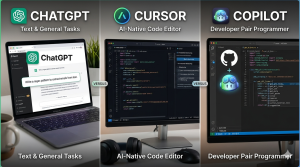
ChatGPT vs Cursor vs GitHub Copilot — Which AI Coding Tool Is Best for Beginners in 2026?
Three tools dominate the AI coding conversation in 2026. We break down exactly what each one does, who it’s for, and which one a student should actually start with — no hype, just honest comparisons.
If you have been trying to figure out which AI coding tool to actually use, you have probably noticed that everyone seems to recommend a different one. Your classmate uses ChatGPT, a YouTube tutorial shows Cursor, and your university’s career page mentions GitHub Copilot. So which one is actually worth your time — especially if you are working on PHP, Python, or Java projects?
The honest answer is that these three tools do different things. Comparing them directly is a bit like comparing a calculator, a textbook, and a tutor — they all help you with maths, but in completely different ways. This guide explains exactly what each tool does, where it wins, where it falls short, and which one makes sense for your situation as a student in 2026.
Quick Verdict — Overall Scores by Category
Before diving into each tool, here is how they score across the dimensions that matter most for students:
Deep Dive — Each Tool Explained
ChatGPT (OpenAI)
Conversational AI — best for explaining, debugging, and learning
ChatGPT is not a code editor — it is an AI you talk to. You describe a problem, paste code, ask questions, and get answers in plain language. In 2026, the free version runs on GPT-5 Instant, which is excellent at explaining complex logic, fixing bugs, generating SQL queries, and writing boilerplate for any language including PHP, Python, Java, and JavaScript. Think of it as a knowledgeable classmate you can ask anything at 2am.
For students specifically, ChatGPT is most valuable as a learning companion. Paste your downloaded project code and ask it to explain what every function does. Ask it to generate 10 viva questions about your database design. Ask it why your PHP session is not persisting. These conversational strengths are where ChatGPT genuinely outperforms both Cursor and Copilot.
✓ Strengths
- Zero setup — works in any browser instantly
- Best at explaining code in plain English
- Excellent for generating SQL, regex, and algorithms
- Great for viva prep and project documentation
- No installation needed on shared computers
- Free tier is genuinely unlimited for most tasks
✗ Weaknesses
- No IDE integration — copy-paste workflow only
- Cannot see your actual project files
- Sometimes generates outdated PHP or deprecated functions
- Free tier has message limits during peak hours
- Does not auto-complete as you type
- Context window limits on very large codebases
Cursor (Anysphere)
AI-native code editor — best full AI coding experience
Cursor is not a plugin — it is a full code editor built around AI from the ground up. It is a fork of VS Code, so if you already use VS Code you will feel right at home. The key difference is that Cursor understands your entire project, not just the file you have open. You can ask it “how does the billing logic connect to the database?” and it will read every relevant file and give you a precise answer.
The free tier gives 2,000 completions and 50 AI chat requests per month — enough for light coursework. Students with a verified school email can get 1 year of Cursor Pro free. By February 2026 Cursor had crossed $2 billion in annualised revenue and 1 million paying users — it is the fastest-growing SaaS product in history, which is a strong signal that professional developers genuinely love it.
✓ Strengths
- Understands your entire codebase, not just one file
- Composer mode: edit multiple files in one command
- 30% faster task resolution than Copilot (benchmarks)
- Supports GPT-4.1, Claude Sonnet, Gemini — pick your model
- Familiar VS Code interface — easy to switch from VS Code
- Students get 1 year Pro free with school email
✗ Weaknesses
- Free tier runs out fast during a real coding session
- Pro is $20/mo — double the price of Copilot Pro
- Only works as a standalone editor — no JetBrains/Neovim
- A March 2026 bug reverted committed code (trust concern)
- Heavier resource usage than Copilot extension
- Overkill for simple single-file projects
GitHub Copilot (Microsoft)
Industry-standard AI coding assistant — best overall for students
GitHub Copilot is the world’s most widely used AI coding tool — over 4.7 million paid subscribers as of January 2026, a 75% year-on-year increase. Unlike Cursor, Copilot is a plugin that adds AI to your existing editor. It works inside VS Code, JetBrains (IntelliJ, PyCharm, WebStorm), Neovim, Xcode, and Visual Studio — whichever editor you already use stays intact.
For students, the biggest advantage is simple: verified students get full Copilot Pro for free through the GitHub Student Developer Pack. That means unlimited completions, AI chat, and access to multiple models. No credit card, no trial period — free for as long as you remain a verified student. At the individual paid level, Copilot Pro scores higher than Cursor on the latest SWE-bench accuracy benchmarks (56% vs 52%).
✓ Strengths
- 100% free for verified students (full Pro plan)
- Works in 6 IDEs — VS Code, JetBrains, Neovim, Xcode
- 4.7M paid users — industry standard on CVs and interviews
- 56% SWE-bench accuracy — higher than Cursor’s 52%
- Deep GitHub integration (Issues, PRs, Actions)
- $10/mo Pro — cheapest paid AI coding tool
✗ Weaknesses
- Context limited to open files (not whole project on free)
- Multi-file agent mode less mature than Cursor’s
- Non-students only get 2,000 free completions/month
- Completions can feel generic without enough file context
- Chat limited to 50 messages/month on free non-student tier
- Requires GitHub account and student verification process
Head-to-Head — Category by Category
| Category | 💬 ChatGPT | ⚡ Cursor | 🤖 Copilot | Winner |
|---|---|---|---|---|
| Free for students | ✔ Yes (chat) | ✔ 1yr Pro free | ✔ Full Pro free | Copilot |
| Works in your IDE | ✘ No | ✔ Built-in editor | ✔ Plugin (6 IDEs) | Copilot |
| Code explanations | ✔ Best in class | Good | Decent | ChatGPT |
| Inline completions | ✘ None | ✔ Excellent | ✔ Excellent | Tie |
| Multi-file editing | ✘ None | ✔ Best in class | Improving | Cursor |
| Debugging help | ✔ Best — explains why | ✔ Good in-editor | ✔ Good in-editor | ChatGPT |
| Viva / report prep | ✔ Excellent | ✘ Not built for this | ✘ Not built for this | ChatGPT |
| Setup time | ✔ 0 minutes | 4 minutes | 5–8 minutes | ChatGPT |
| PHP / MySQL support | ✔ Excellent | ✔ Excellent | ✔ Excellent | All equal |
| Best overall for CS students | Learning aid | Power users | ✔ Best overall | Copilot |
Real Prompts You Can Use Right Now
ChatGPT — Explain a confusing PHP function
Paste into ChatGPT or Claude
I am a computer science student and I downloaded a PHP project.
I do not understand this function. Please explain it step by step
as if I am a beginner. Tell me:
1. What the function does overall
2. What each line does
3. What could go wrong and how to fix it
4. How I would explain this to my professor in my project viva

[paste your PHP function here]
Cursor — Add a new module to an existing project
Type in Cursor’s chat panel (Ctrl+L)
Look at how the billing module works in this project.
I want to add a new "SMS notification" feature that sends
the customer an SMS whenever their bill is generated.
Use the same code style and database patterns already in the project.
Show me all the files I need to change and the new code to add.
GitHub Copilot — Generate a complex SQL query inline
Type this comment in VS Code — Copilot completes it
<?php
// Get all customers with unpaid bills this month,
// including their plan name, amount owed, and days overdue.
// Sort by days overdue descending.
$query = // Copilot writes the JOIN query here automatically
ChatGPT — Prepare for your final year project viva
Paste into ChatGPT
I built an ISP Management System as my final year project.
It uses PHP, MySQL, and has these modules:
customer management, monthly billing, stock/inventory, expense tracking.

Generate 10 tough viva questions a professor would ask me,
and write the ideal 3-4 sentence answer for each.
Focus on: database design decisions, security choices,
billing logic, and how I would improve it with more time.
Who Should Use Which Tool?
💬 Use ChatGPT if…
- You want to understand downloaded project code
- You need help preparing for your viva
- You want to generate documentation or a project report
- You are on a shared/lab computer and cannot install anything
- You need to understand an error message explained in plain English
- You want to generate SQL queries from plain descriptions
⚡ Use Cursor if…
- You are comfortable with VS Code already
- You have a complex multi-file project to work on
- You want to add entire new features to an existing project
- You want to try the most advanced AI editing experience
- You have a verified student email for the free Pro year
- You enjoy exploring cutting-edge developer tools
🤖 Use Copilot if…
- You are a verified student (get full Pro free)
- You want AI that works inside your existing editor
- You use JetBrains, Neovim, or Xcode (Cursor does not work there)
- You want the industry-standard tool on your CV
- You want inline completions as you type without switching editor
- You want the most reliable, widely supported option
Find Your Perfect Tool — Quick Quiz
🎯 Answer 3 questions and get your personalised recommendation
1. What is your main goal right now?
The Honest Truth About Using AI for Coding
There is one thing all three tools have in common that is worth saying clearly: none of them make you a better developer automatically. They make a skilled developer faster. They make a learning developer less frustrated. But if you use them to blindly copy code without understanding it, you will fail your viva and struggle in your first job.
The best approach — and the one that actually helps you in the long run — is to use AI as a tutor, not a ghostwriter. When Copilot suggests a line of code, read it and understand it before pressing Tab. When ChatGPT generates a function, ask it to explain every line. When Cursor edits multiple files, review each change before committing it.
Frequently Asked Questions
Is Cursor better than GitHub Copilot in 2026?
It depends on what “better” means for you. Cursor is 30% faster at completing complex multi-file tasks and has a more immersive AI experience. GitHub Copilot scores higher on code accuracy benchmarks (56% vs 52% on SWE-bench) and works in 6 IDEs instead of 1. For students, Copilot wins on value because verified students get it completely free at the Pro level, whereas Cursor’s free tier runs out quickly during real coding sessions.
Can I use all three tools at the same time?
You can use ChatGPT and GitHub Copilot simultaneously — ChatGPT in a browser tab for explanations, Copilot in your editor for inline completions. However, running Cursor and Copilot at the same time is not recommended as they will both try to suggest completions, causing conflicts. Pick one IDE-based tool and complement it with ChatGPT or Claude in your browser.
Which tool is best for PHP and MySQL projects specifically?
All three handle PHP and MySQL well. For writing PHP code as you type, GitHub Copilot and Cursor are best. For generating and explaining complex MySQL JOIN queries, ChatGPT and Google Gemini are excellent — describe your tables in plain English and ask for the query. For understanding an existing PHP codebase you downloaded, Claude and ChatGPT are the best choice because they explain code in the clearest language.
Does GitHub Copilot work in JetBrains IDEs like IntelliJ or PyCharm?
Yes, GitHub Copilot is the only one of these three that works natively in JetBrains IDEs. If you use IntelliJ for Java, PyCharm for Python, or WebStorm for JavaScript, Copilot is the clear choice. Cursor requires you to use its standalone VS Code-based editor, and ChatGPT has no IDE integration at all.
How do I get GitHub Copilot Pro completely free as a student?
Go to education.github.com/pack and apply for the GitHub Student Developer Pack. You need either a .edu email address or a photo of your student ID or enrollment letter. Once verified (usually 1–3 days), your GitHub account is automatically upgraded to Copilot Pro at no cost. The benefit stays active as long as your student status is valid.
Will knowing these tools help me get a job?
Yes, significantly. A 2026 developer survey found that job candidates are now being directly asked about their experience with AI coding tools in technical interviews — particularly GitHub Copilot and Cursor. Listing proficiency with these tools on your CV is increasingly expected for junior developer roles. GitHub Copilot is the most recognised name because it is the industry standard used by most professional teams.
What is the difference between ChatGPT and Claude for coding?
Both are excellent for coding tasks. ChatGPT (GPT-5) tends to be faster and better at generating boilerplate code quickly. Claude is widely considered better at explaining code in clear, natural language and handles longer code files more consistently. For explaining someone else’s project code or writing project documentation, many developers prefer Claude. Both are free to use and worth trying to see which style you prefer.
The Bottom Line
ChatGPT, Cursor, and GitHub Copilot are not competitors for the same job — they are three different types of tools that happen to all involve AI and code. ChatGPT is your tutor. Copilot is your in-editor assistant. Cursor is your AI-powered IDE upgrade.
For most students in 2026, the right answer is: get GitHub Copilot free through GitHub Education, and keep ChatGPT open in a browser tab. That combination costs nothing, takes 10 minutes to set up, and covers everything from inline code suggestions to viva preparation. Once you are comfortable with both, explore Cursor when you have a more complex project to tackle.
Related Articles on Codezips
Last updated: April 2026. Pricing, free tier limits, and benchmark scores reflect publicly available data as of this date. Always check each tool’s official site for the latest plan details.